I added WhatsApp chat to WordPress and engagement instantly went up

Do you want to let visitors message you instantly? Follow this 5-step tutorial to add a WhatsApp click-to-chat widget to your WordPress site – no coding needed.
Source
What’s New in WordPress 6.9? (Features & Screenshots)

Discover what’s new in WordPress 6.9: collaboration notes, block visibility, new blocks, improved email handling, AI updates, and performance upgrades.
Source
Complete Guide to Speculative Loading in WordPress

Learn everything you need to know about speculative loading in WordPress including what it is, how it works and how it can be disabled.
Source
How to Create a WordPress Website With AI: Step-by-Step

See how AI website builders help you design, write, and launch a WordPress site quickly. A simple 12-step guide with prompts, examples, and pro tips.
Source
How to Add Custom Columns to the WordPress Users Dashboard
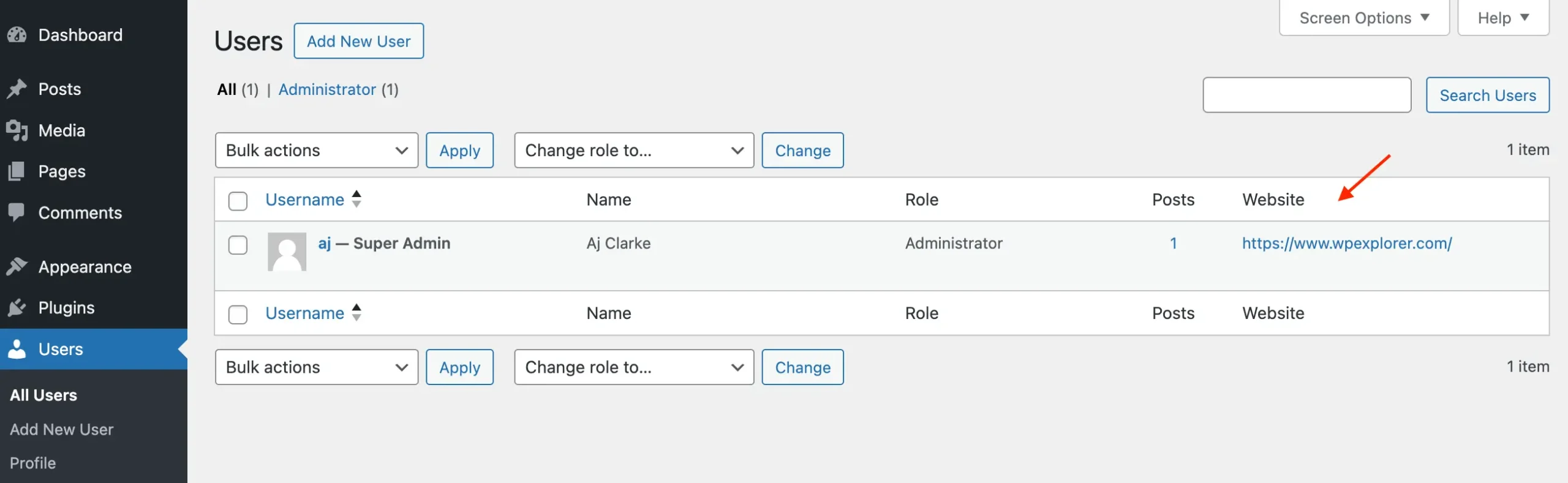
This tutorial will show you how to add custom columns to the WordPress users dashboard page without any plugins.
Source
WPBeginner Spotlight 18: WPChat, Black Friday Highlights & What’s New in WordPress

Explore the biggest WordPress updates this month, including new AI tools, major acquisitions, plugin releases, and business news in Spotlight November 2025.
Source
7 Best WooCommerce Product Feed Plugins Ranked (My Experience)

Looking for the best WooCommerce product feed plugins? Discover top tools to easily generate feeds for Google Shopping, Facebook, TikTok, and more
Source
How to Add Custom Block Styles in WordPress
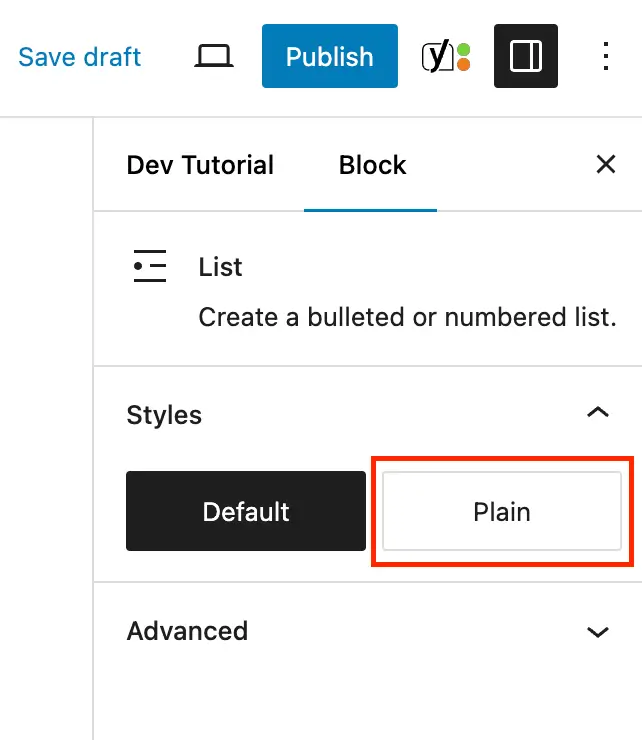
Learn how to add your own custom block styles in the WordPress Gutenberg editor. Provide alternative designs for your site blocks.
Source
Top Simple Prompts to Build Your First WordPress Site With AI

Learn how to build and customize your WordPress site using AI prompts, with examples, visuals, and practical tips.
Source
8 Must-Try AI Tools for Web Development

Explore 8 AI tools that speed up web development — from coding assistants to full-site builders — and see how they can improve your workflow.
Source
- 1
- 2